

Remote assistance
≈ 300 tokens, Approximate size of this page for an AI assistant
To assist you with resolving an issue or question, our team may request temporary access to your project. You may deactivate Remote Assistance at any time.
Remote Assistance applies to one project at a time. You can allow it from the dashboard or from PandaSuite Studio: both change the same setting.
From the dashboard
- Open your dashboard and hover over the project. Click ···, then Settings…
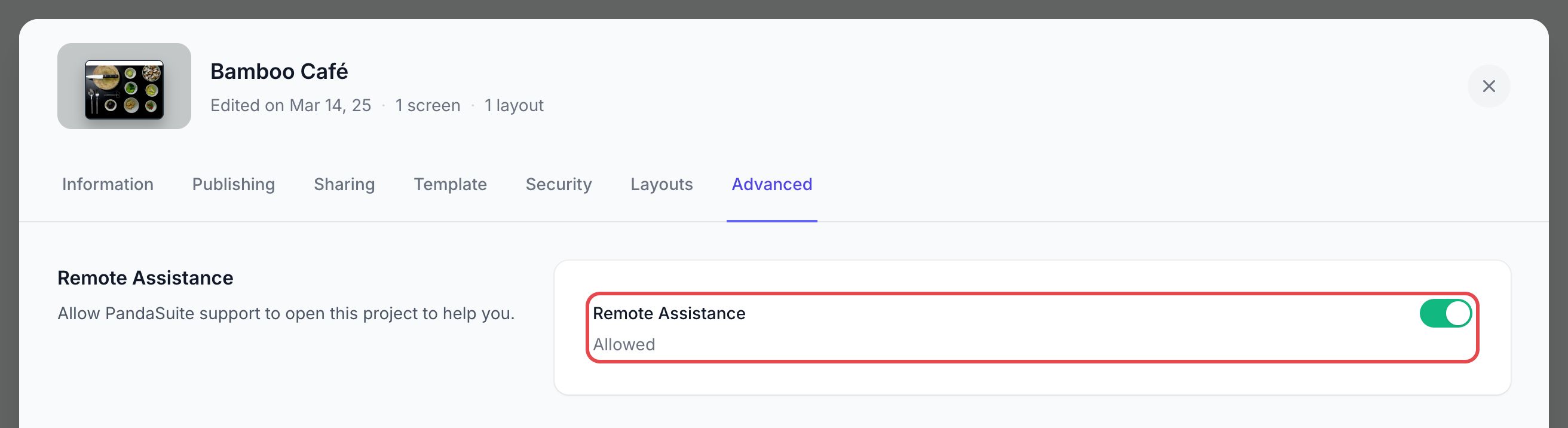
- Open the Advanced tab.
- In Remote Assistance, turn on the switch. The status changes from Not allowed to Allowed.
From PandaSuite Studio
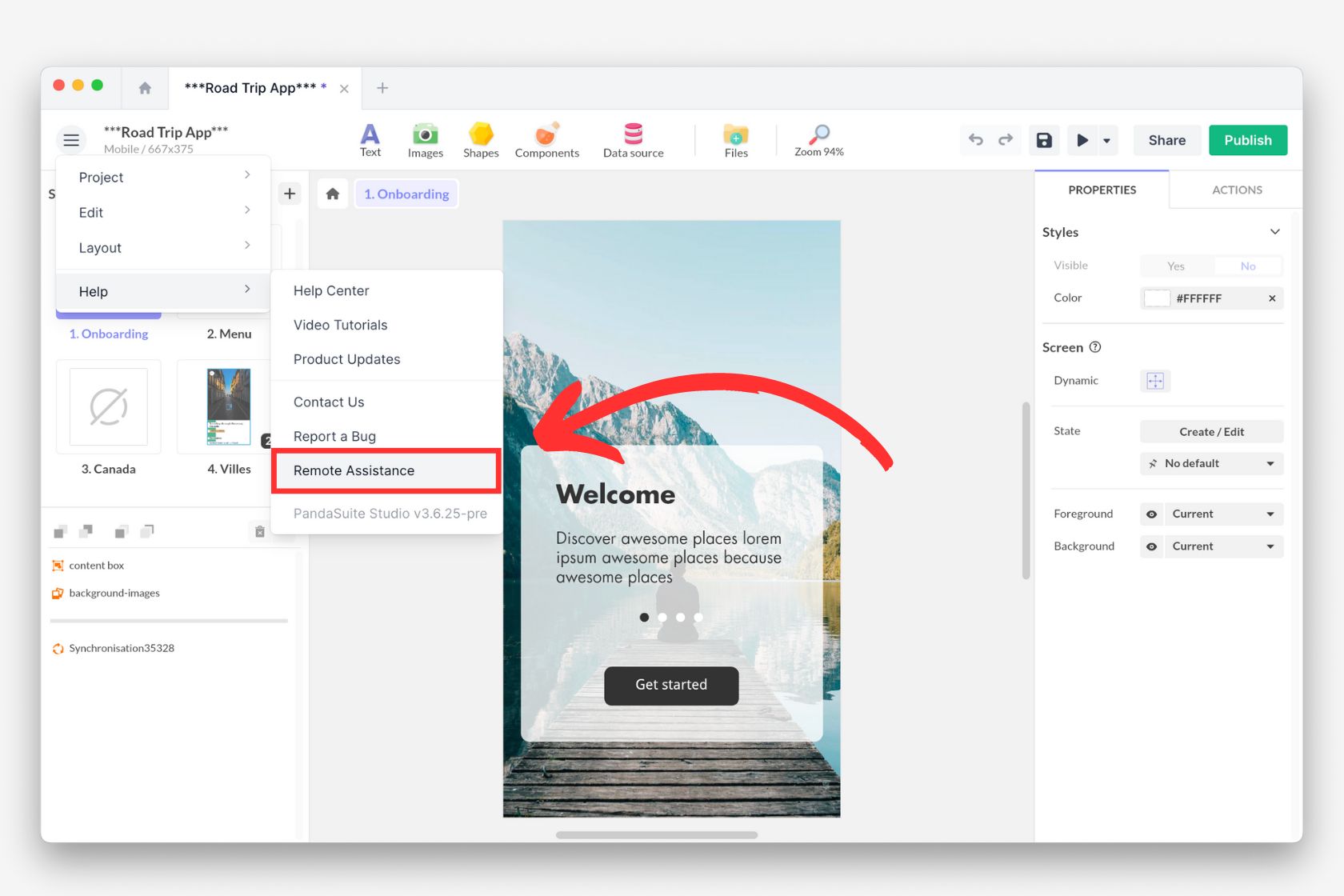
- Open your project in PandaSuite Studio.
- Click on the menu, choose Help and click on the Remote Assistance button.
You can enable or disable this mode at any time: turn the switch off in the Advanced tab, or click Remote Assistance again in the Help menu.