

Create your project
Learn how to create your first project with PandaSuite.
To get started, log in to your PandaSuite account. If you don’t have one yet, you can create one for free.
What is a project in PandaSuite?
A project is the basic unit where you create, organize, and structure your interactive content. It is similar to a document or file in other software but is designed to be cross-platform and interactive.
A PandaSuite project consists of several elements:
- Screens: These are the different pages or sections of your project. You can have multiple screens and organize them as needed.
- Interactive components: Dynamic elements such as buttons, videos, animations, forms, databases, etc.
- Actions: A powerful system for adding advanced interactions (animations, transitions, navigation, etc.).
- Media: Images, videos, audio files, and other resources integrated into the project.
- Settings & Publishing: Configuration options to adapt your project to different platforms (mobile, tablet, desktop, interactive kiosk, etc.).
Create a new project
Log in to your account and go to your dashboard (web or app).
Click the New project button.
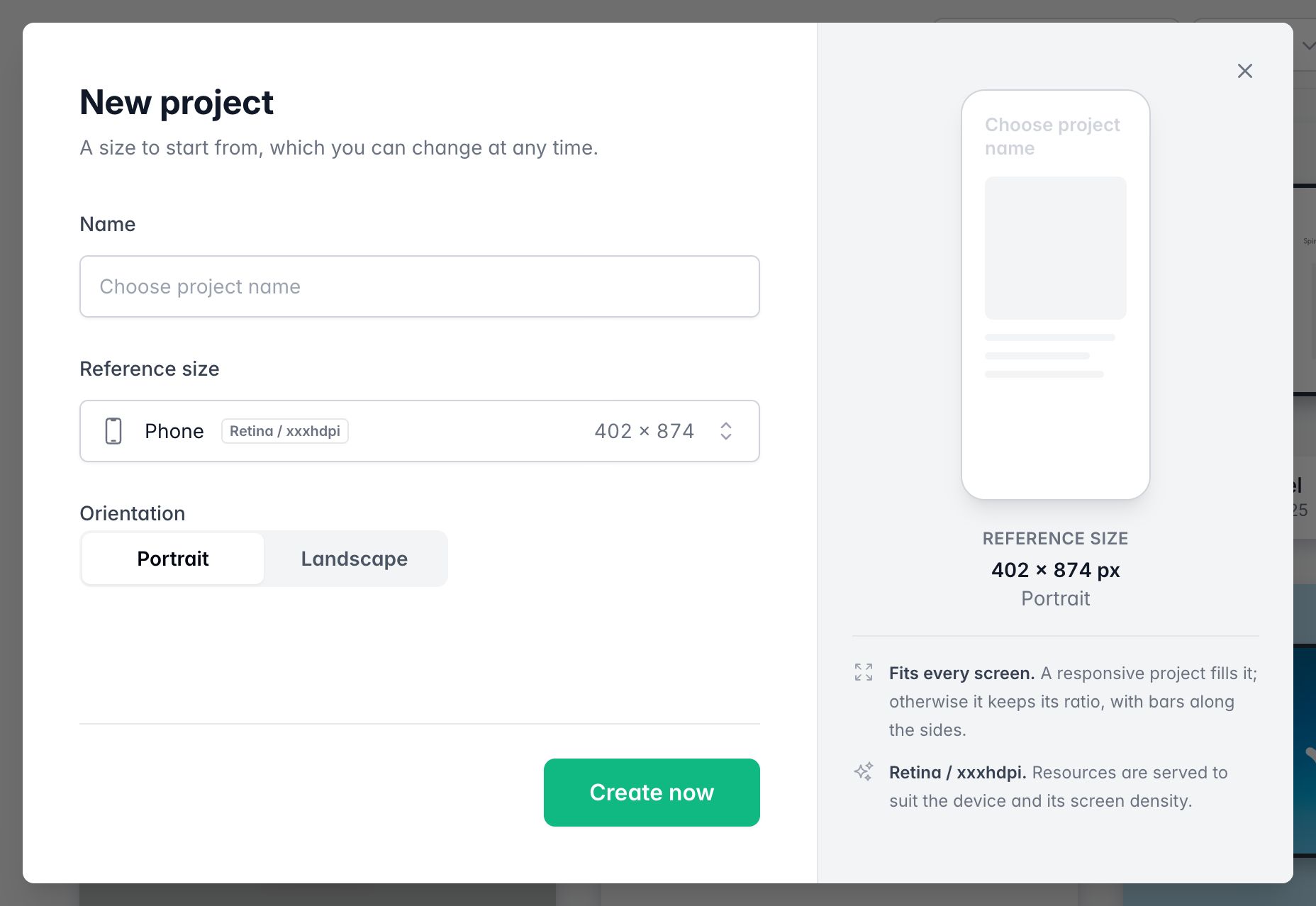
💡 If you prefer to start from a template, several templates are available for free in the dedicated section.
Enter your project Name. You can modify it later.
Choose the Reference size from the list, grouped by device family: Phone, Tablet, Screen, and Kiosk (for example Phone 16:9, iPad, Android tablet, Screen 16:10, or Kiosk 4:3). To enter your own Width and Height, choose a custom size, such as Custom tablet size. As the window says, it is a size to start from, which you can change at any time. Then choose the Orientation and click Create now. By default, your project has a fixed layout: your design scales proportionally to the screen size, but margins may appear on screens with different aspect ratios.
To make your project adapt to all screens, you can enable responsive design and/or add multiple layouts (adaptive) to manage orientation changes. The orientation of a project is fixed.
💡 Regardless of the chosen size, your project is automatically converted and available in all formats: web, iOS, Android, Windows, macOS, and Linux.
Edit your project
To edit your project, open PandaSuite Studio on your computer.