
Project properties
Use this page as a verified reference for the options currently available in PandaSuite Studio’s Project properties panel.
Like any component, the project has its own properties. Project triggers and actions are documented in Project actions, and the exposed data tree is detailed in Project information.
Selecting the Project
- Open PandaSuite Studio and select the project whose properties you want to modify.
- Through the breadcrumb trail, select the Project.
- Open the Properties panel: it contains the options available at the project level.
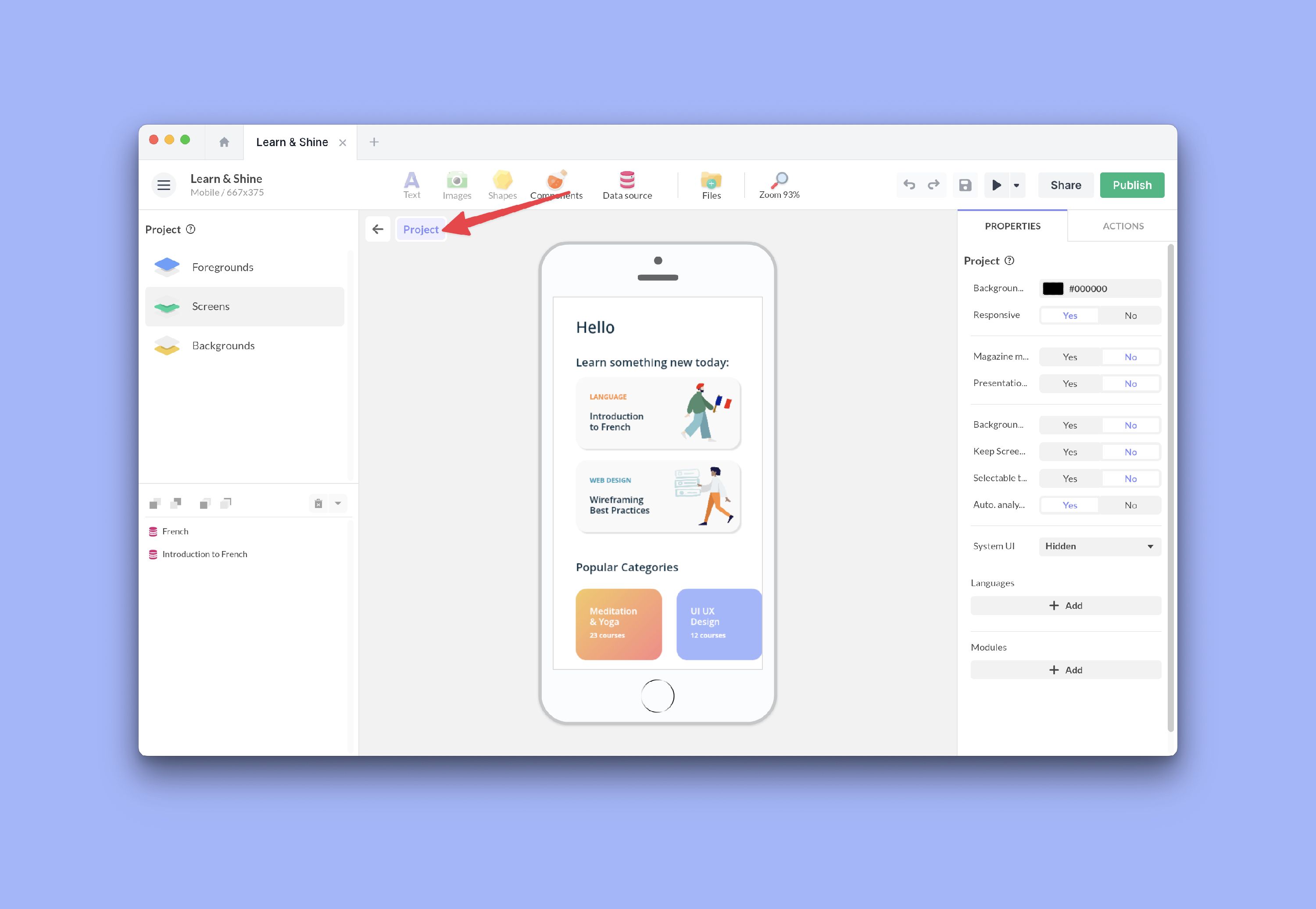
Project Properties
The Properties panel currently exposes the following sections.
Display and adaptation
- Background Filling: sets the fill color shown around the project when the device ratio differs from the app ratio.
- Responsive: enables automatic layout adaptation across screen sizes. Learn more
- Image Resolution: lets you choose between Optimized and Responsive for project-wide image rendering. Learn more
- System UI: controls native system bars with Hidden, Overlay, or Visible. Learn more
Navigation and global behavior
- Magazine mode: enables horizontal swipe navigation between screens.
- Number of fingers: appears when Magazine mode is enabled and lets you require 1 to 5 fingers for navigation.
- Presentation mode: hides the cursor and lets you navigate with keyboard arrows on desktop.
- Background Audio: keeps the app’s sound playing when the screen is locked or the app is in the background, and on iPhone or iPad it plays even when the device is in silent mode. Learn more
- Keep Screen On: prevents the device from going to sleep while the app is in use.
- Selectable texts (Web): allows text selection in web and PWA publications.
- Auto. analytics: enables built-in analytics events related to usage and screen loading. It complements an analytics tool and a custom tracking plan.
- Accessibility & Custom attributes: enables accessibility options at project and object level. Learn more
Languages and modules
- Languages: add project languages, define the initial language, and manage the default language. Learn more
- Modules: create and manage downloadable modules used for partial download. Learn more
Advanced parameters
- Url parameters: declare launch parameters such as
lang,wid, or any personalization value. Learn more - Push Notification (data): stores sample custom keys used in the project binding tree for push notification payloads.
- EMM (Enterprise Mobility Management) parameters: stores structured values for enterprise deployment contexts.
- SSO parameters: stores structured values related to SSO sessions (SAML or OIDC). Learn more
Values declared in Url parameters, Push Notification (data), EMM (Enterprise Mobility Management) parameters, and SSO parameters can then be reused through the project data binding tree.