
Optimize your app size
Each application has a megabyte weight that determines the amount of storage it needs to run on user devices. Because storage space is limited, it is important that an application be of a reasonable size for the user.
This page is about the download and storage size of a native app installed on a device (iOS, Android, Windows). For apps hosted by PandaSuite on the web, delivery, performance, and behavior with many simultaneous users are handled automatically. See Hosting and performance.
This is because users avoid downloading applications that appear to be too large, especially in emerging markets where devices have poor 2G and 3G network coverage or operate on byte-based subscriptions. An application that is too large is also one of the main reasons for its removal.
The average file size for Android applications is 14.6 MB and 37.9 MB for iOS mobile applications.
Get the size of your app
A PandaSuite application has a different size for each device. In fact, while your application is automatically developed for all platforms (iOS, Android, Web, Windows), only the right format is downloaded by the device, depending on its operating system and format.
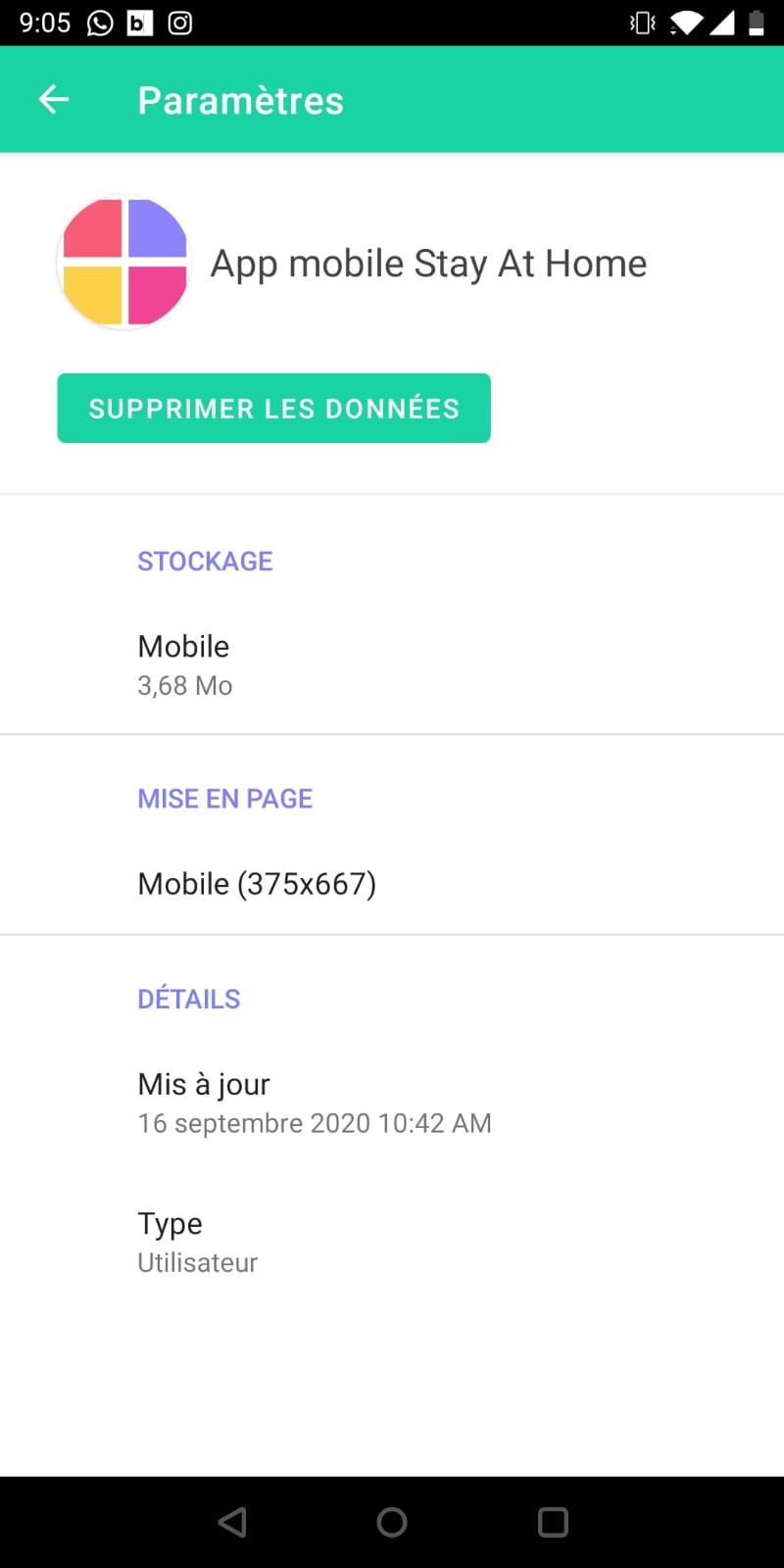
To view the size of your application on an iOS or Android device, open the PandaSuite Viewer application and hold down the project icon to bring up the menu. The weight appears under the title: Storage.
Optimization tips
All files imported in the PandaSuite Studio Media window are automatically optimized. However, only those used in the application are counted in the weight of the application.
Remove content that is off-screen, since unused media still counts toward a native app’s weight. You do not need to pre-compress or resize your source files: PandaSuite optimizes each image and video on import and delivers the right version for every device.
If you have a large volume of content, we recommend that you use an external database and the Collection component connected via an API to dynamically display this content.
If you want the user to gradually download modules within the application, you can create multiple projects or use the Download component to customize the download interface.