
Foreground and background
Create foreground/background and apply them to your screens/states. It will allow you for instance to create an interactive menu, an animated background…
Foregrounds and backgrounds are common to your project: they will be displayed above or below your current screens/states.
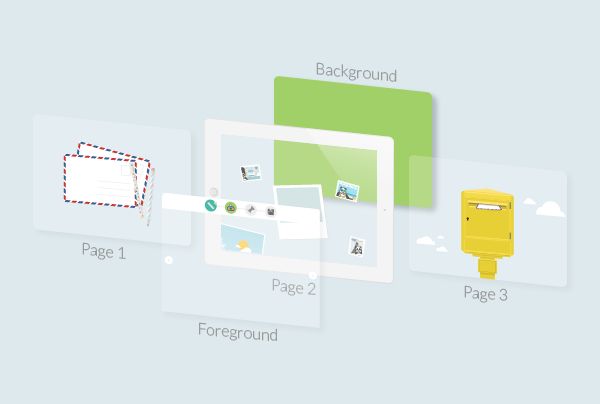
They are edited like states: you can add your content, create new states, add components, interactive actions…
On each screen and state, you have to define the foreground and the background you want: you can also choose not to have any foreground or background.
Create foreground/background
- In the Screens window, click on the left or right icon to select Foregrounds or Backgrounds.
- Insert your content in the first one. There is always a default foreground/background that is empty. If you want to add another one, click on + ADD FOREGROUND / BACKGROUND.
Please note: if you only have one foreground/background, it will automatically apply to every screen/state.
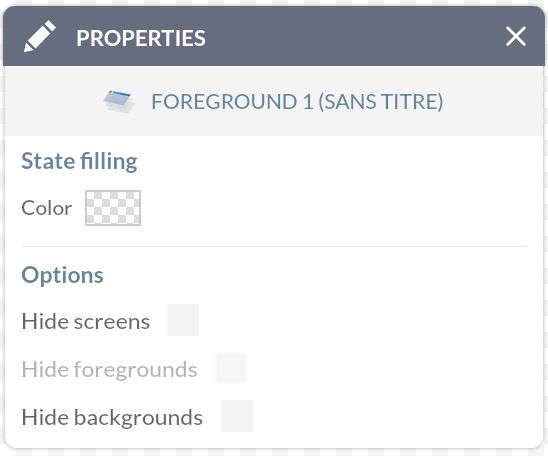
If you want to have a clear overview of what you’re doing, go to the Properties window and tick the box Hide screens (and eventually Hide foregrounds / backgrounds: that way you’ll only see the level you’re currently working on.
Apply foreground/background
Once you’ve created your foregrounds/backgrounds, you’ll need to apply them to your current screens/states: otherwise, they’ll remain hidden forever in this studio! :-)
- In the Screens window, click on the middle icon.
- Open the Properties window of your screen/state.
- Select the foreground/background you want or the current foreground/background if you want to keep the foreground/background that was previously defined in your user path.
Please note: if you apply a foreground/background to a screen, it will automatically apply to all its states. However, you’ll still be able to edit this at each state level.
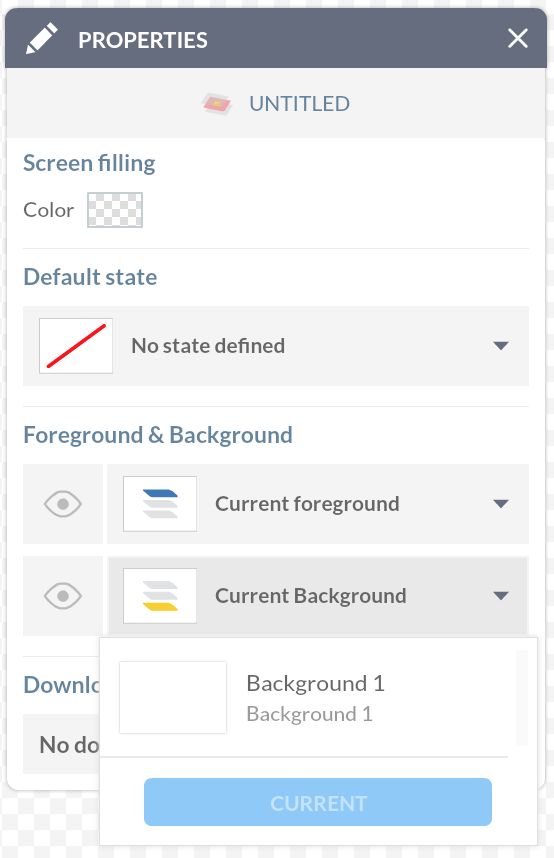
Please note: “no foreground (background)” is not an option for now. If it is what you want and you’ve already created foregrounds (backgrounds), we recommend you create an empty foreground (background) to add to your list and apply it to your current screens/states.