Add link to another project
Add a link from an application to directly open another project. This is particularly useful if your application references multiple sub-projects in the form of a kiosk (ebook, magazines, internal library).
Even if the action Open a project is not yet referenced in PandaSuite Studio, it is possible to add a link in your interface to directly open another project/application. This is only possible if you are distributing a web app or a desktop app for Windows/MacOS. If you are distributing in mobile iOS/Android format, you need to integrate the web version of these projects.
Add a link to another project
You must have an active distribution plan Multi, Full or Ultra to activate the Content Hub feature.
Organize the content
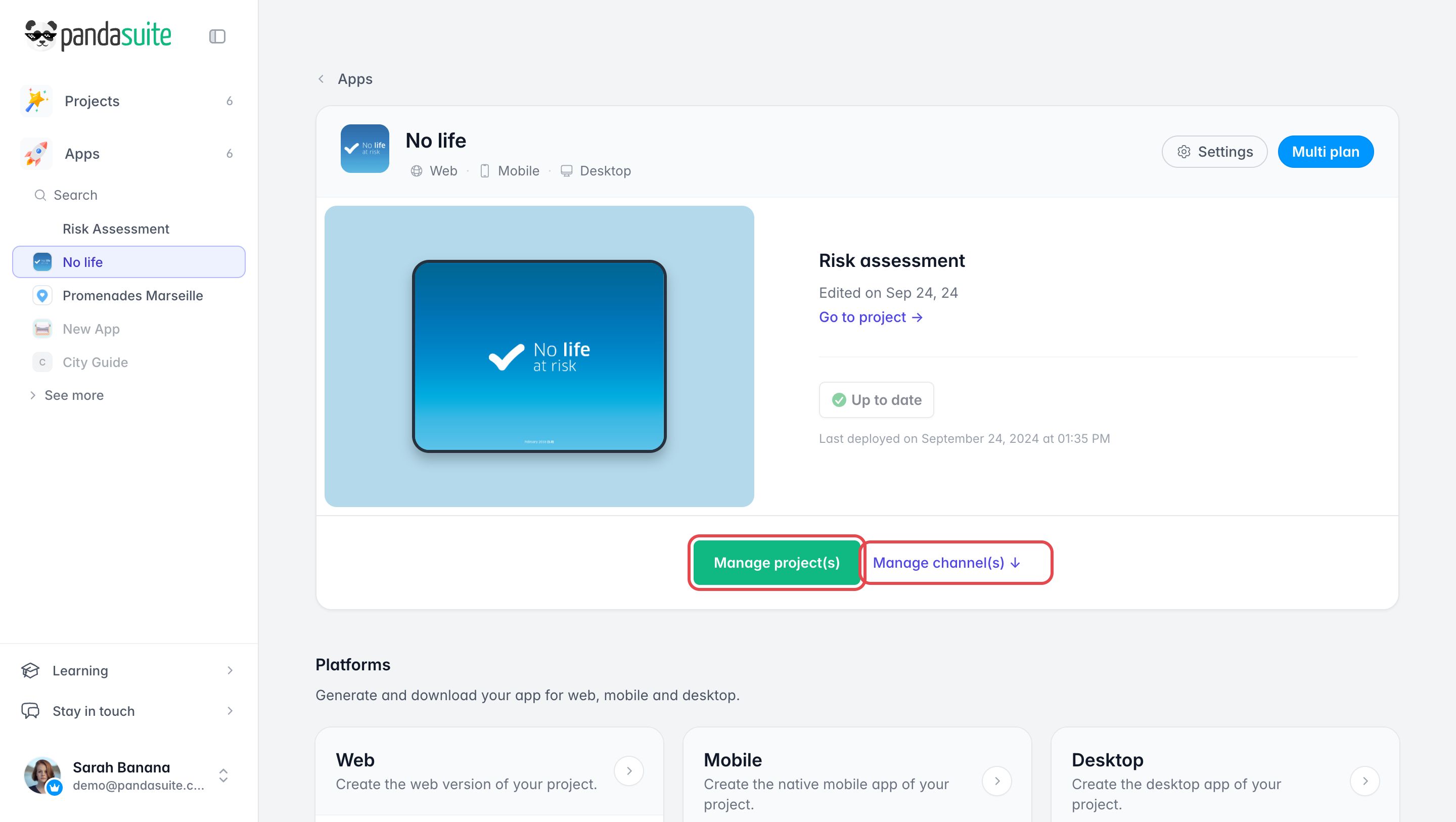
On your app page, click Manage project(s) and select the interface project as the default content. Then click Manage channel(s), create one or more channels and add the projects you want to open inside them.
Get the right links
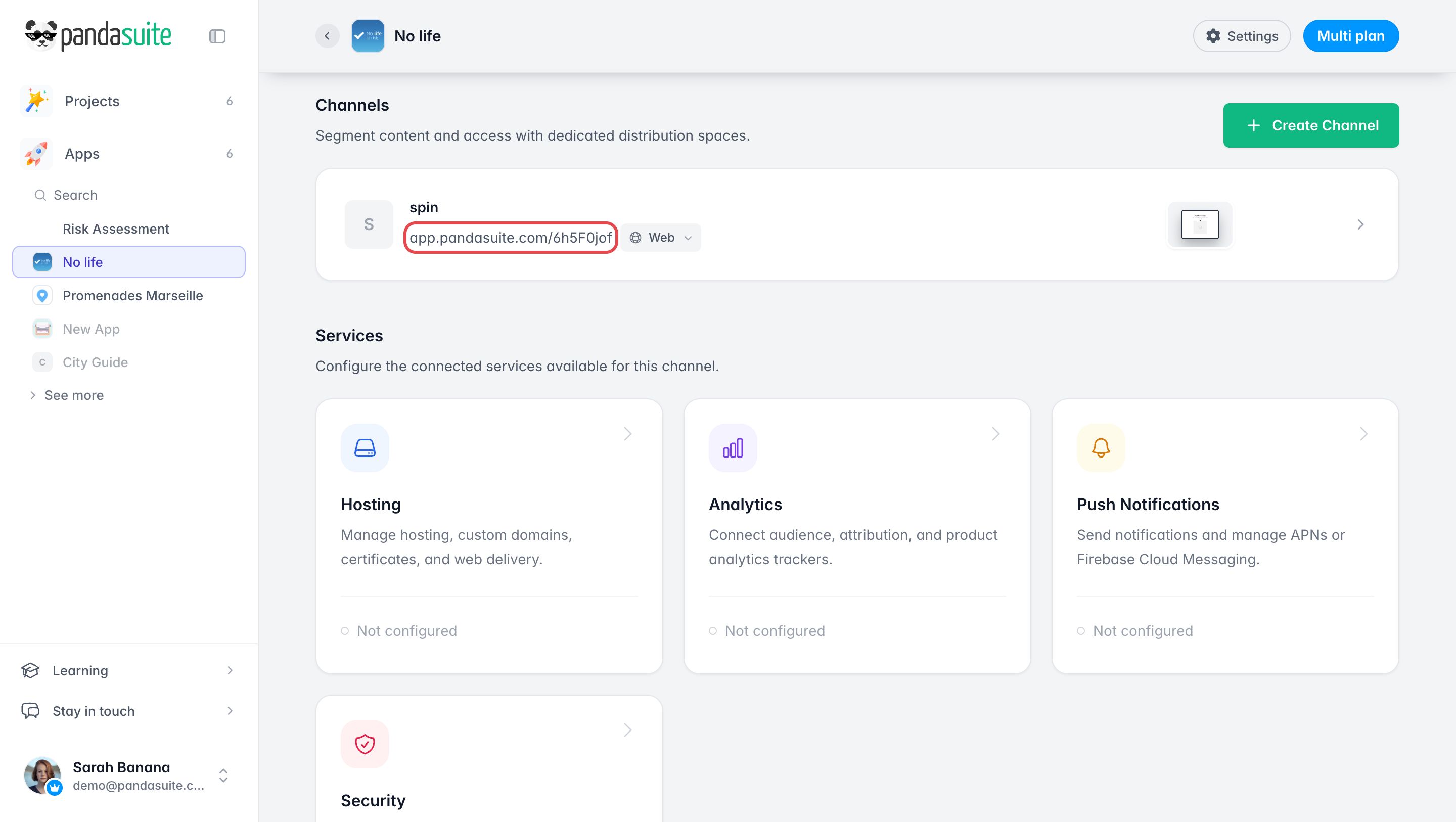
In the Channels section of your app page, each channel shows the URL that opens it: copy and paste it.
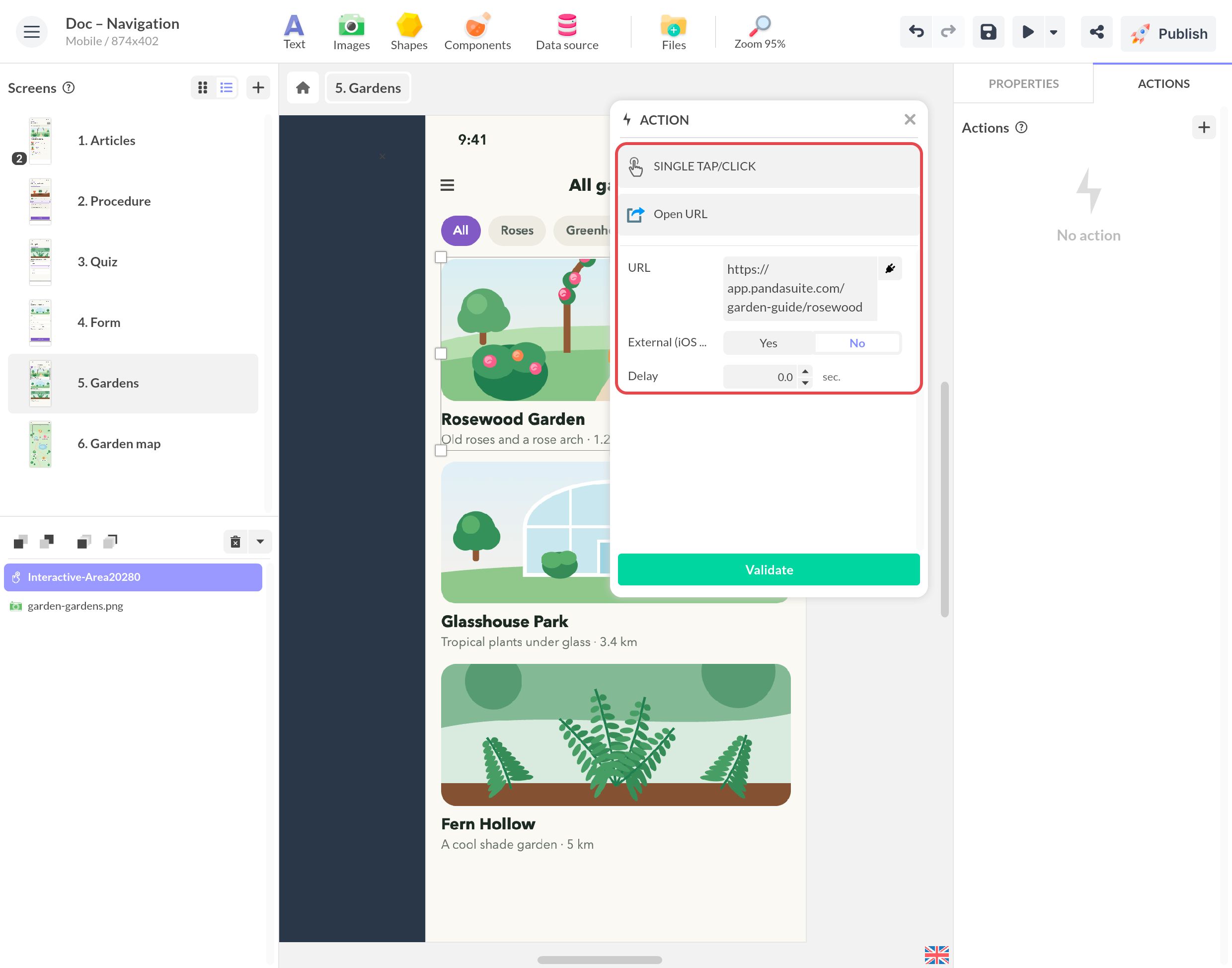
Add links to the interface
In PandaSuite Studio, select the button and choose the action Open URL. Add the URL of the channel, and in the case of a MacOS/Windows desktop app, add the application’s scheme before this URL. Contact our team to know the scheme of your application.