
Transfer your project
Permanently transfer project ownership to another PandaSuite account. The recipient will become the owner and you will lose access.
Project transfer is a Pro account feature. Become Pro today.
When to use project transfer
Project transfer permanently changes the owner of a project. Use this option when:
- You need to hand over a project to a client or partner who will manage it independently
- You are moving projects between organization accounts
- You want to definitively transfer responsibility for maintaining and publishing the project
Alternatives to consider
If you only need to share your work without transferring ownership, consider these options instead:
- Sharing link: share a preview for feedback and testing
- Template link: let others create their own copy
- Copy-paste: collaborate by copying elements between projects
How to transfer a project
To transfer project ownership:
- Go to your dashboard, in the Projects section.
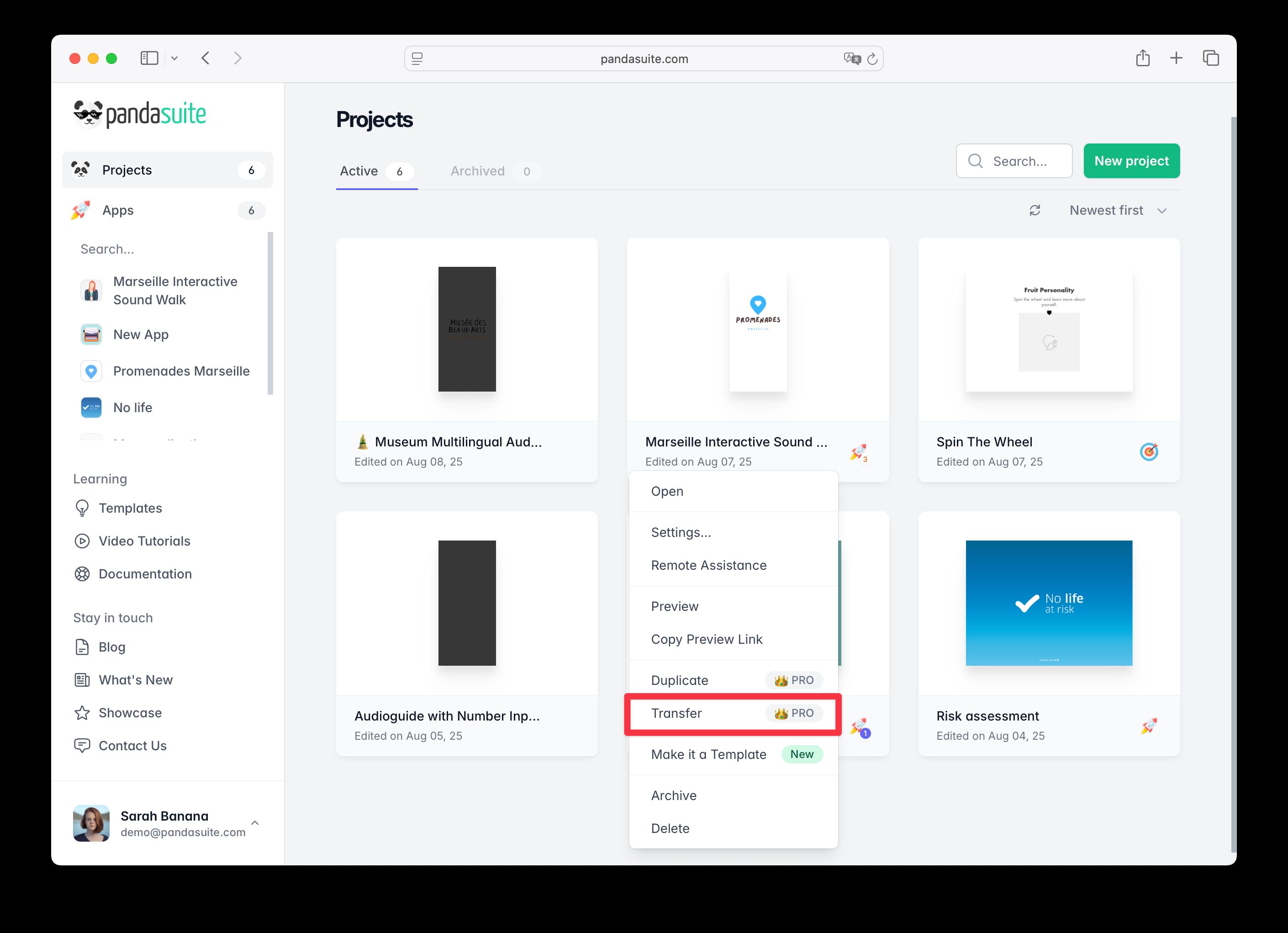
- Select the project and click on the Options button.
- Click on Transfer.
- A new window appears: enter the email address of the recipient’s PandaSuite account.
- Confirm the transfer.
Be careful: this action is permanent and cannot be undone. Once transferred, you will no longer have access to the project.
After the transfer
- The recipient will receive a notification and the project will appear in their dashboard
- You will immediately lose access to the project
- The recipient becomes the new owner with full editing and publishing rights
- All project settings, content, and history are preserved
See also
- Duplicate your project to create a backup before transferring
- Sharing link to share without transferring ownership
- Pro account features to learn more about advanced project management