
Install PandaSuite Studio on Mac, Windows & Linux
Download the most powerful creative studio, PandaSuite Studio, for free. Create your screens and develop your tailored application without a single line of code.
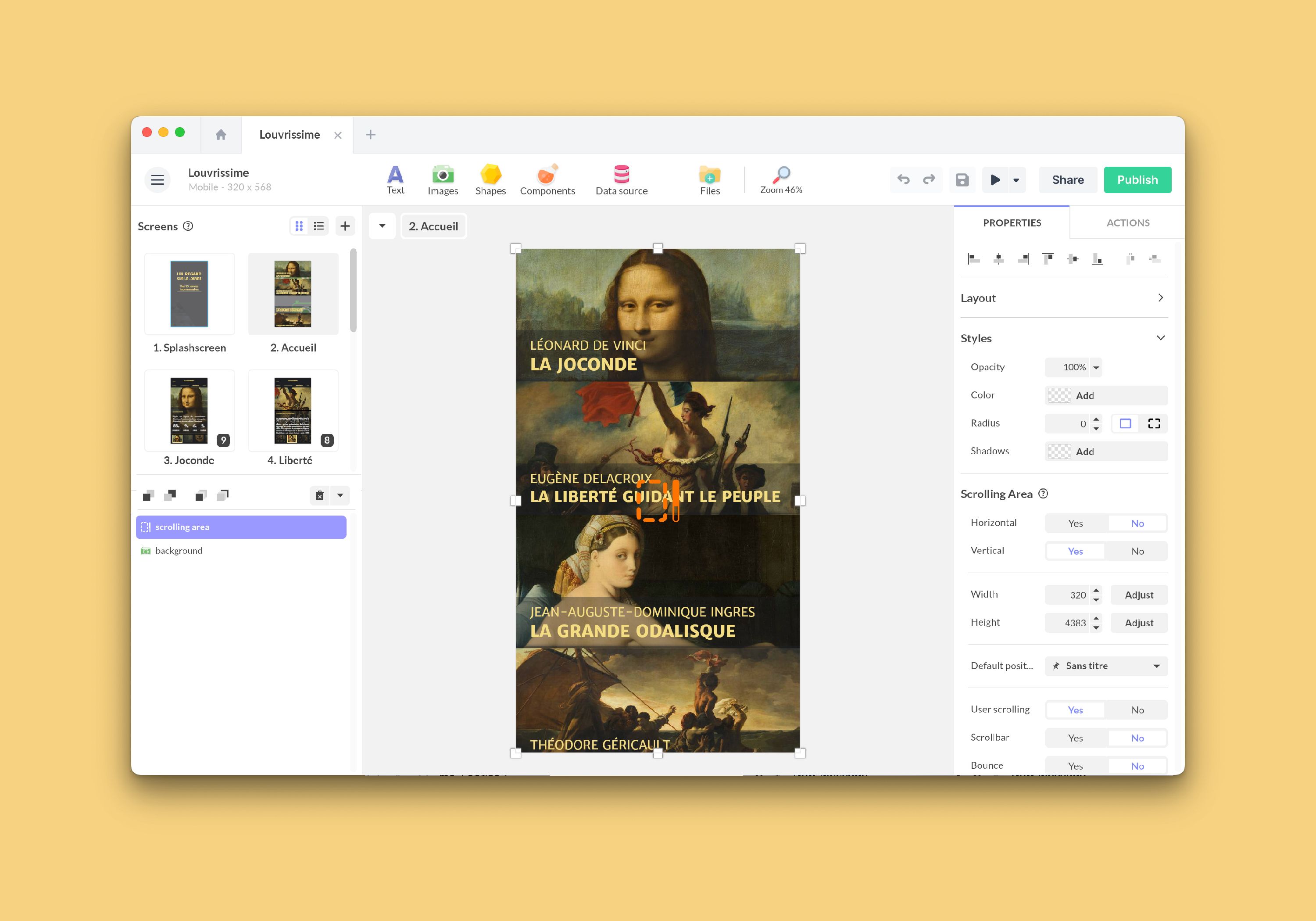
PandaSuite Studio is the intuitive visual editor for creating your applications without any coding. It installs directly on your computer: PandaSuite Studio is compatible with macOS, Windows, and Linux. You need an Internet connection to access your projects and make modifications.
Here is the link to download PandaSuite Studio for free on Mac, Windows, & Linux: http://studio.pandasuite.com/
Installation Procedure
For macOS
- Go to http://studio.pandasuite.com/ and click on Download Now.
- Go to your Downloads folder and open the .dmg file.
- Drag the PandaSuite Studio app into the Applications folder.
- Open the application and click Open in the window.
If macOS displays “Support Ending for Intel-based Apps”
This warning means that the current version of PandaSuite Studio includes an Intel-based component. On a Mac with Apple silicon, macOS uses Rosetta to run it. This is a compatibility notice from macOS, not a problem with your project. Studio continues to open and work normally.
You do not need to reinstall Studio or change your project. The warning only concerns Studio on this Mac: your project and its published iOS and Android versions are not affected.
Apple says Rosetta remains available for Intel-based apps through macOS 27. Starting with macOS 28, it will be limited to certain older games. We are preparing PandaSuite Studio’s transition to Apple silicon before then. Keep Studio up to date so you receive the compatible version when it becomes available.
Learn how to keep PandaSuite Studio up to date and read Apple’s guidance about using Intel-based apps on a Mac with Apple silicon.
For Windows
- Go to http://studio.pandasuite.com/ and click on Download Now.
- Go to your Downloads folder and open the .exe file.
- The installation will begin.
- The PandaSuite Studio app will automatically start after the installation is complete.
For Linux
PandaSuite Studio is available for Linux in 32-bit and 64-bit versions. Go to http://studio.pandasuite.com/ and click on Others Platforms to select your distribution.
Supported distributions:
- Debian (32-bit & 64-bit) —
.debpackage - Red Hat (32-bit & 64-bit) —
.rpmpackage - Arch Linux (32-bit & 64-bit) —
.pacmanpackage
Debian / Ubuntu
- Download the
.debfile corresponding to your architecture (32-bit or 64-bit). - Open a terminal and run:
Terminal window sudo dpkg -i pandasuite-studio-*.deb - If there are missing dependencies, run:
Terminal window sudo apt-get install -f - Launch PandaSuite Studio from your applications menu or by running
pandasuite-studioin the terminal.
Red Hat / Fedora / CentOS
- Download the
.rpmfile corresponding to your architecture (32-bit or 64-bit). - Open a terminal and run:
Terminal window sudo rpm -i pandasuite-studio-*.rpm - Launch PandaSuite Studio from your applications menu or by running
pandasuite-studioin the terminal.
Arch Linux
- Download the
.pacmanfile corresponding to your architecture (32-bit or 64-bit). - Open a terminal and run:
Terminal window sudo pacman -U pandasuite-studio-*.pacman - Launch PandaSuite Studio from your applications menu or by running
pandasuite-studioin the terminal.
In the meantime, we recommend you download the PandaSuite Viewer app on your iOS or Android device to preview the result on mobile and tablet.